

Client-server system
The term client-server system indicates a network architecture in which a computer, called a client, connects to another computer, called server, for the use of a certain service, such as the sharing of a certain hardware/software resource.
The presence of a server allows a certain number of clients to share its resources, leaving the server to manage access to the resources to avoid usage conflicts.
Most of the Internet works on the client-server method where users use the Internet as a communication network to reach servers to request functions (e.g. view a website).
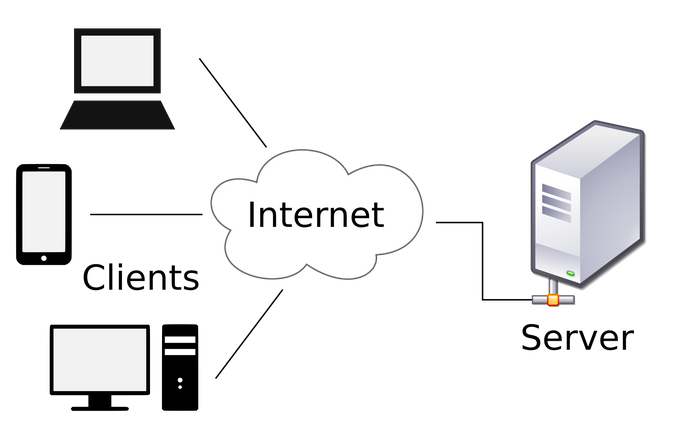
Specifically in the client-server model we see that two processes (running programs) are involved, one on the client machine and one on the server machine.
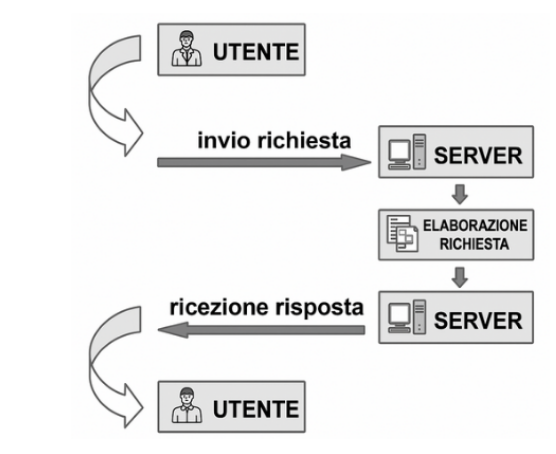
From these premises, communication is represented by this logic:
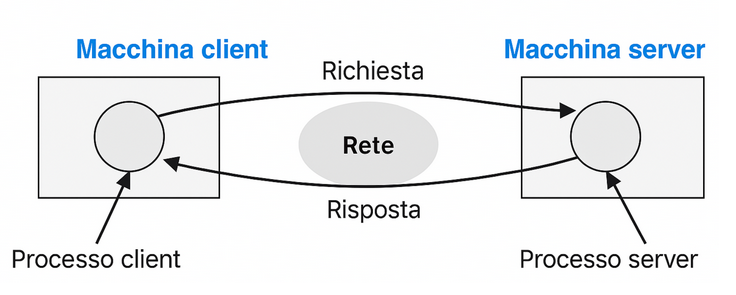
The clients and the server are connected via a communication protocol, that is, shared rules that allow for dialogue for a specific task.
Client
The term client indicates a computer component or subsystem that accesses the services or resources of a server.
The client can be hardware or software:
For example one of the most important client software is the broswer, a software specialized in displaying web pages taken from the server.
The client software is generally of limited complexity, normally limited to operating as a communication interface towards the server.
There are some software, such as email, which are divided into a client part (resident and running on the client PC) and a server part (resident and running on the server).
Example
When using the Gmail software, the user interface is part of the client, while the email content is stored in the database, which is located on a server. The client, through the interface, can download and display the email content stored on the server.
Server
A server (from the verb (to) serve «to serve», therefore literally «servant, servant») is a computer component or subsystem for processing and managing information traffic that provides, at a logical and physical level, any type of service to clients who request it..
Depending on the context, the term “server” can therefore indicate:
The server, in addition to the logical management of the system, must implement:
Example
An email server is comparable to any post office.
Users must be authorized to access their email inbox via the client.
Similarly, a user must have the key to the mailbox located at a post office from which he wishes to collect mail.
Server types
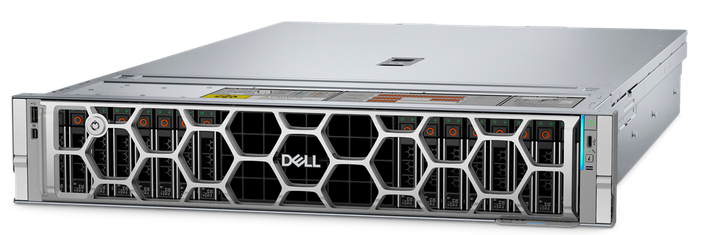
The vast majority of servers are services—programs that perform specific system functions.
The vast majority of servers are services—programs that perform specific system functions.
Data center
A data center It is a specialized structure designed to house servers and all the other components connected to them: storage devices, network equipment, security systems, and power infrastructure.
The function of a data center is to store, process, and distribute large volumes of data continuously, reliably, and securely.
Simply put, they are “information factories”: places where data lives, passes through, and is managed 24 hours a day.
The main element of a data center is the server farm.
A server farm is a generic term for an organized collection of servers installed in a single physical location.
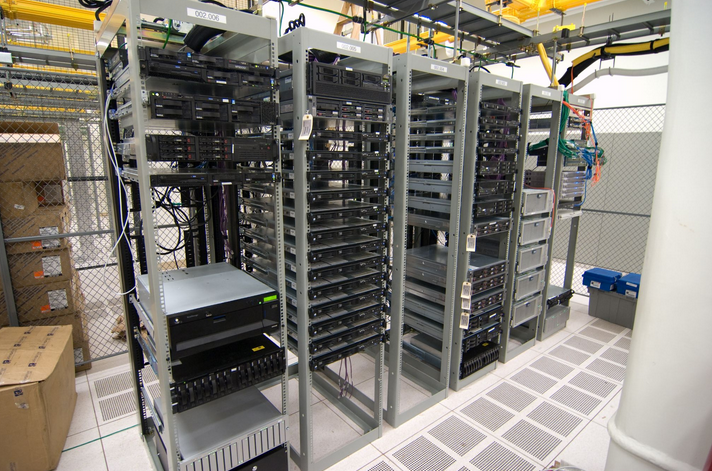
A server farm is made up of metal cabinets called “rack”, each of which contains dozens of servers.
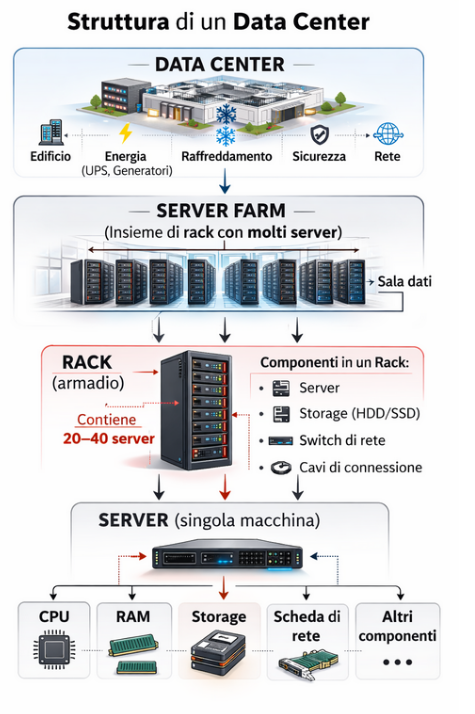
These servers host websites, databases, business applications, streaming videos, and even virtual worlds for online video games.
In addition to the server farm, a data center is equipped with:
The entire system is designed to ensure high availability, i.e. continuous operation even under critical conditions.
An outage lasting a few seconds can mean huge financial losses or damage to the reputation of digital service providers.
Without data centers, there would be no Internet as we know it.
Every email sent, every message on WhatsApp, every video on YouTube physically passes through one or more data centers.
Even corporate information systems, banks, hospitals, navigation apps, and digital public services rely on these infrastructures.
Peer to peer system
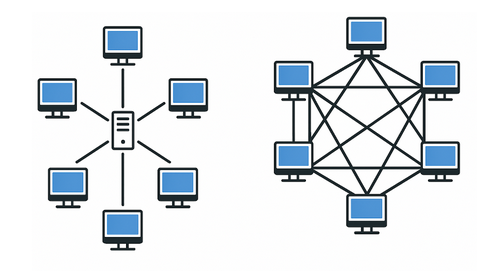
The client-server model is the most used on the Internet but there is another popular model: the peer-to-peer (P2P).
In this form of communication, hosts, which form a spontaneous group, are able to communicate with each other without there being a predefined division between server and client.
Simply put, hosts act as both clients (service users) and servers (service providers).
The operation is quite simple:
Each host maintains its own database locally and provides a list of other hosts known to it that are part of the system. P2P.
So a new host can visit any other member both to see what they have and to get the names of other members to inspect for other content and names.
Example
Torrent is a file-sharing program. In this system, the client can download other files from other users and simultaneously act as a server containing files that can be downloaded from other hosts.
Want to help me write articles like this?

No responses yet