

The network hardware It is the set of physical devices that allow computers and other electronic devices to communicate with each other, exchanging data within a network.
It is the "tangible" part of the network, the one that manages the flow of information and ensures that each packet arrives at its destination correctly and efficiently.
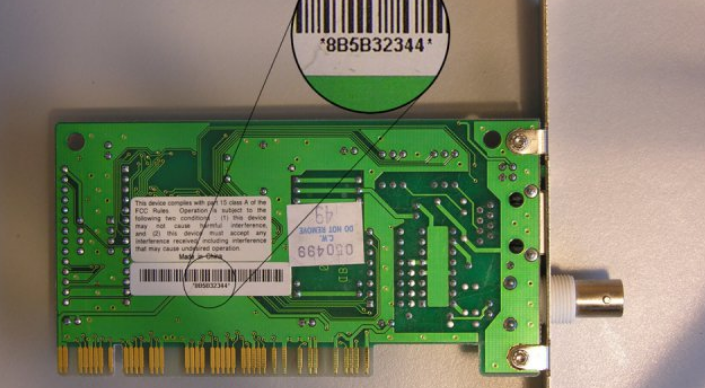
Network interface controller
The network interface card ( NIC) is a digital interface, consisting of an electronic card, that performs all the logical processing functions required to allow a device to connect to a computer network and consequently transmit and receive data.
There are two types of network cards:
Modern network interface cards are designed to support both wired and wireless connectivity. This type of network card is commonly referred to as a “hybrid network card” or a “dual-mode network card”.
The network card has a unique identifier called a MAC address (Media Access Control).
A MAC address is a 48-bit or 64-bit identifier, expressed in hexadecimal format, assigned by the manufacturer to the network card during its production.
The MAC address is used to uniquely identify the network card on the network and allows data to be routed correctly.
When a device sends data over a network, it includes the recipient’s MAC address in the packet header, so that the network can route the data to the correct recipient.
The MAC address is therefore a unique and permanent characteristic of the network card.
Note: In this section, we will use the term “packet” in a generic sense; in later chapters, we will learn that in this case the correct term is frame.
Switch
A switch acts like a “power strip” and allows multiple network devices to be connected to each other.
A switch knows exactly which devices are connected to each of its ports; for example, if it receives a packet on port 1 destined for a device connected to port 3, that packet is “forwarded” only to port 3 and not to all the other ports.
This is because when a packet is received, the switch checks the destination MAC address in the packet header and determines from the MAC address which network card to forward it to.
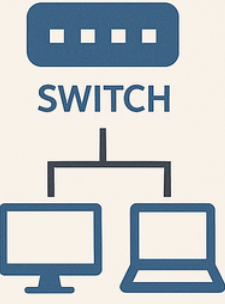
Switches are often used in corporate networks, home networks, and many other situations where network traffic needs to be managed and directed between connected devices.
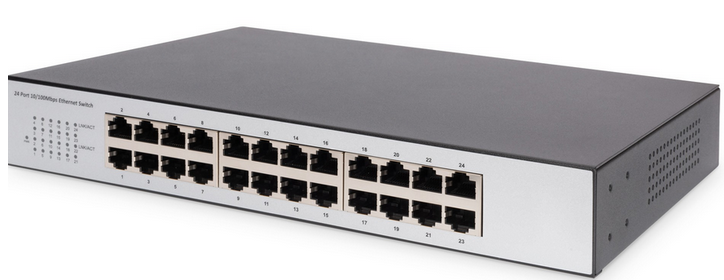
The technology that enables local connections to the switch is the technology LAN.
Router
The router is a device that allows you to sort data packets traveling on the web to multiple computers or other computing devices, such as smartphones and tablets, connected to the same network.
The term router, in fact, derives from the English "route," meaning road, path, because the router's purpose is to route packets to different devices.
From a "logical" point of view, a router is not very different from a switch.
It also connects different network devices to each other, with one difference: the router is able to route packets between different networks.
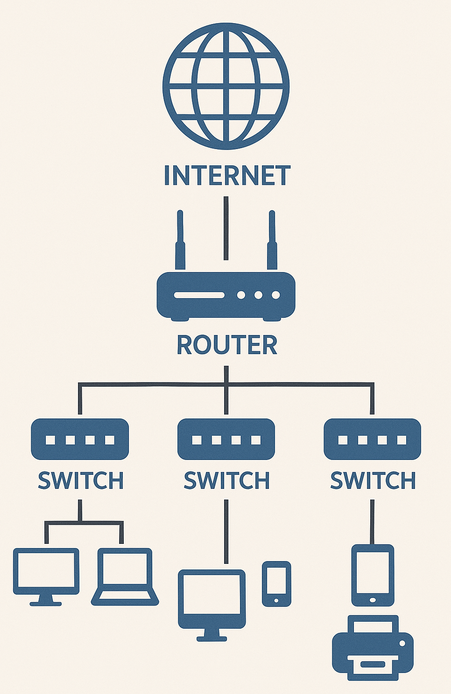
A special type of router is the gateway.
A gateway acts as an access point between the local network and the external network (an external network is a network that connects several local networks).
When a device on the local network wants to communicate with a device on the external network, several steps are performed:
If the external network is the Internet, the term “gateway” is often called “default gateway” (our home routers are default gateways).
Note: Not all routers are gateways
Modem
The ADSL or fiber modem is an electronic device that allows you to connect a computer to the Internet via a telephone line (for ADSL) or optical fiber.
The modem is usually attached to the gateway and its job is to transform digital data into a format suitable for the network.
The term modem derives from “MOdulator-DEModulator”, because in ADSL systems it converts the computer's digital signals into analog signals that can be transmitted over telephone lines and vice versa.
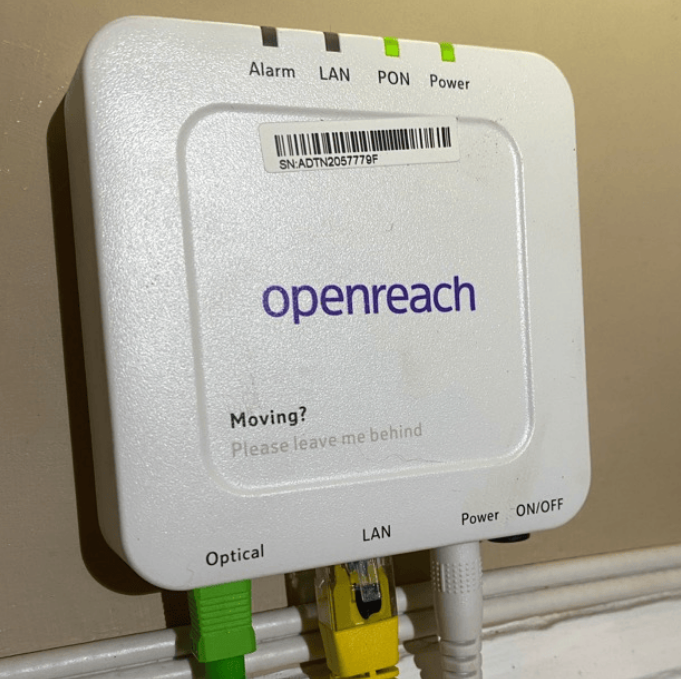
In the case of optical fiber, which uses light to transmit packets in the network, the device used is technically an ONT (Optical Network Terminal), which converts an incoming digital signal into a light signal and vice versa at the output.

Example
Let's imagine we have a modem ADSL:
Let's imagine we have a ONT:
Access Point
An access point (also indicated with the acronym AP) is a network device that allows wireless (without wires) access to devices, in a local area, to an electronic communications network.
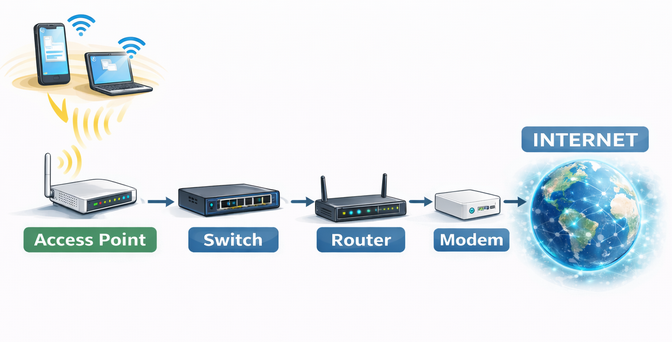
The access point is connected to a switch that allows the user to surf the Internet in a non-wired manner.
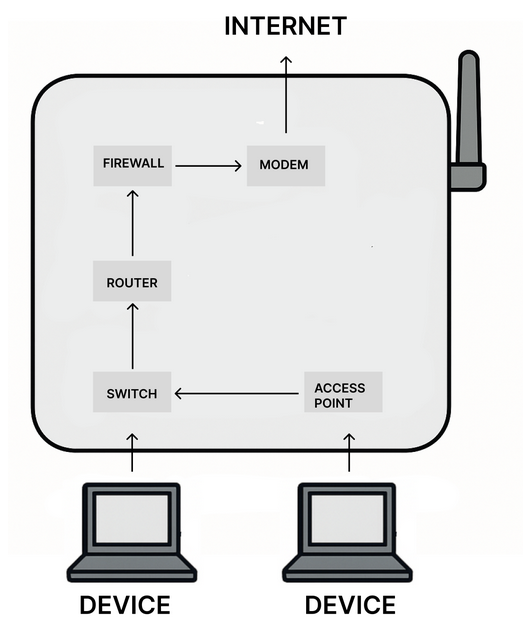
This means that every time we surf the Internet wirelessly, our data will be sent or received at the access point which will then forward it to the switch, which in turn will send it to the router which will be able to communicate with the Internet via the modem.
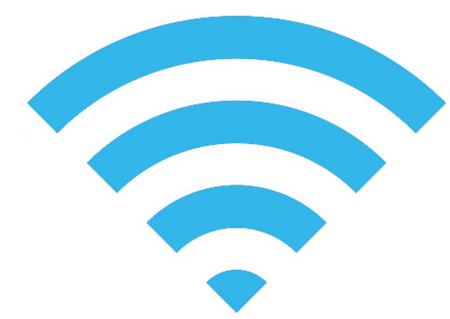
Hotspot refers to a location where there is an access point for using the Internet. A hotspot is represented by the symbol below:
Very often, an access point is associated with Wi-Fi technology, which indicates a wireless connection technology, especially via radio waves.
A hotspot can be:
Firewall
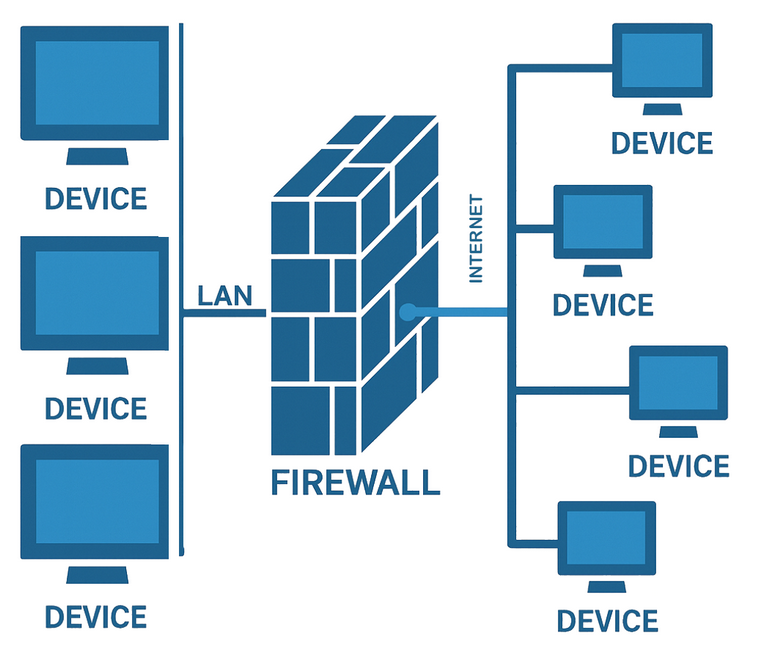
A firewall is a hardware/software network security component that monitors incoming and outgoing traffic using a predefined set of security rules to allow or block events.
Functionally, a firewall is a type of filter that monitors data traffic and blocks dangerous or unwanted transmissions based on a specific set of rules.
Most firewalls have standard rules to which the end user can add customized ones, based on their needs.
The firewall is placed between the external network, which includes the Internet, and the internal network of the company, home, or simply the end user's computer.
The firewall works this way because, theoretically, the internal network is considered known, safe, trusted, and protected, while the external network is the presumed source of potential threats, as it is overall unknown, insecure, and untrustworthy.
Most firewalls use one of these two general rule application criteria:
Example
In many school networks, the firewall can be configured to be permissive for outgoing traffic: this means that internal devices can access many Internet services, except those explicitly blocked. From a security perspective, however, the most appropriate configuration would be a default-deny logic, in which only explicitly authorized traffic is allowed.
Modem router
The modem router is the device that performs both the function of a modem and a router.
In practice, in addition to acting as an access point to the Internet, it allows all the devices in the home to communicate with each other.
For several years, we have been accustomed to mistakenly calling the device we use to connect to the Internet a "modem" (such as the TIM HUB, Fast Gate, etc.).
In reality, these types of devices incorporate several devices in a single "box":
Want to help me write articles like this?

No responses yet