


This lesson introduces the main types of computer networks, ranging from personal networks to the Internet.
It explains personal networks—such as Bluetooth-based Personal Area Networks (PANs)—local networks found in homes or schools (whether wired or wireless Local Area Networks, or LANs), and Wide Area Networks (WANs), which connect devices and infrastructure over long distances.
The lesson also clarifies the distinction between an “internet” (lowercase “i”), understood as an interconnection of multiple networks, and the “Internet” (uppercase “I”), referring to the global worldwide network.
Finally, it introduces concepts such as hosts, communication subnetworks, transmission lines, routers, routing, and ISPs, explaining how Internet Service Providers enable users to access the global network.
Network types
An important criterion for classifying networks is their scale, since networks of different sizes use different technologies (Tanenbaum et al., 2021).
Based on their scale, we can distinguish:
The table below provides a summary. The distances shown are approximate values: they help illustrate the scale of the networks, although in practice the boundaries between different network types may vary depending on the technology and context (Tanenbaum et al., 2021).
| Distance Between Devices | Example Area | Technology |
|---|---|---|
| 1 m | Square meter | Personal area network (PAN) |
| 10 m | Room | Local area network (LAN) |
| 100 m | Building | Local area network (LAN) |
| 1 km | Campus | Local area network (LAN) |
| 10 km | City | Wide area network (WAN) |
| 100 km | Country | Wide area network (WAN) |
| 1.000 km | Continent | Wide area network (WAN) |
| 10.000 km | Planet | Internet |
The connection of two or more networks is called an internetwork or internet, with a lowercase i. (Tanenbaum et al., 2021).
The worldwide Internet, with an uppercase I, is a particular internet that connects the entire globe (Kurose & Ross, 2026; Tanenbaum et al., 2021).
The Internet is certainly the best-known example of an internetwork because it is a vast global network of interconnected devices that enables communication, information exchange, and access to online resources and services.
Essentially, the Internet is a network of networks in which millions of devices and servers around the world are connected, allowing data to be shared and transferred.
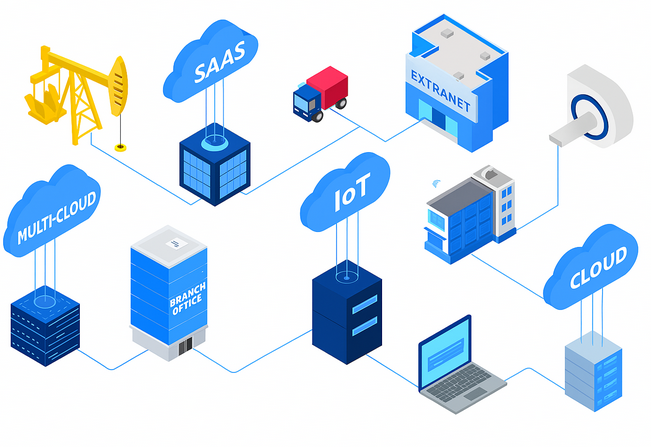
PAN
PANs (Personal Area Networks) allow devices to communicate within the physical space surrounding a person (Tanenbaum et al., 2021).
PANs can be wired or wireless.
A wired PAN can connect nearby devices using cables, such as USB. A wireless PAN, by contrast, connects devices without cables, for example through Bluetooth (Tanenbaum et al., 2021).
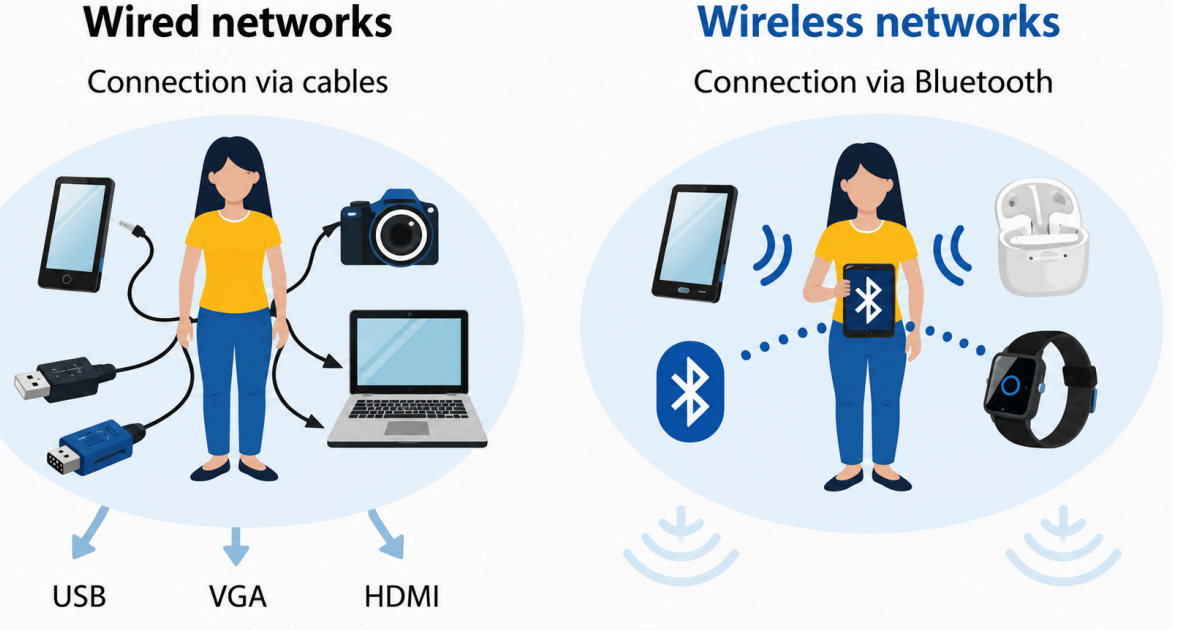
Bluetooth
Bluetooth is a short-range wireless communication standard that enables the transmission of data and audio signals between devices such as smartphones, computers, tablets, headphones, speakers, and other electronic devices (Bluetooth SIG, 2025).
Compared with Wi-Fi, the wireless connection used for LANs, Bluetooth is designed for short-range, low-power communication. This means that it transmits at low power, which is sufficient for connecting nearby devices but not intended to cover long distances (Bluetooth SIG, 2025; Kurose & Ross, 2026).
Bluetooth is used in a wide range of devices and applications, including wireless headphones and speakers, wireless mice and keyboards, fitness sensors, remote-control devices, and many others.
Thanks to its ease of use, low power consumption, and security, Bluetooth remains a popular standard for short-range wireless communication.
Differences Between Bluetooth and Wi-Fi:
Bluetooth is designed for short-range connections, whereas Wi-Fi is designed to cover larger areas such as a room, home, laboratory, or office Bluetooth SIG, 2025; Kurose & Ross, 2026).
From the user’s perspective, however, using Bluetooth does not simply mean turning it on: the devices must first detect one another, pair, and establish a connection.
Connecting two Bluetooth devices usually involves several steps.
Once pairing is complete, the devices can connect. Pairing and connecting are not exactly the same: pairing creates a persistent relationship between two devices, whereas a connection is the active link currently used to exchange data.
For example, Bluetooth headphones may already be paired with a smartphone without being connected. When they are switched on, the smartphone may recognize and connect to them automatically. At that point, audio is sent from the smartphone to the headphones (Bluetooth SIG, 2025).
When a Bluetooth device is no longer needed, it can be disconnected.
Disconnecting interrupts the active link without deleting the pairing. The device therefore remains stored and can reconnect more easily in the future (Bluetooth SIG, 2025).
For example, if Bluetooth headphones are disconnected from a smartphone, audio is no longer played through them, but the smartphone can still remember them. If the headphones are switched on later, they can be reconnected without repeating the entire pairing process.
Unpairing, also called removing or “forgetting” a device, is different.
Unpairing deletes the stored association. After unpairing, the two devices no longer recognize one another automatically. To use them together again, the pairing procedure must be repeated (Bluetooth SIG, 2025).
For example, if “forget this device” is selected for Bluetooth headphones on a smartphone, the phone deletes the pairing information. To use the same headphones with that phone again in the future, they must be placed in pairing mode and paired again.
LAN
A local area network (LAN) connects multiple devices within a limited area, often through switches and access points (Kurose & Ross, 2026; Tanenbaum et al., 2021).
For example, if a home or office contains several computers, printers, and servers that need to communicate, they must be connected through a LAN so that the devices can exchange data.
Within a LAN, devices use MAC addresses to identify one another and exchange data. When a device sends data to another device on the same local network, the control information also includes the recipient’s MAC address (Kurose & Ross, 2026).
When a device communicates with another device on the same LAN, it sends the data across the local network. If a switch is present, the switch forwards the data to the correct port based on the recipient’s MAC address (Kurose & Ross, 2026).
A LAN can be:
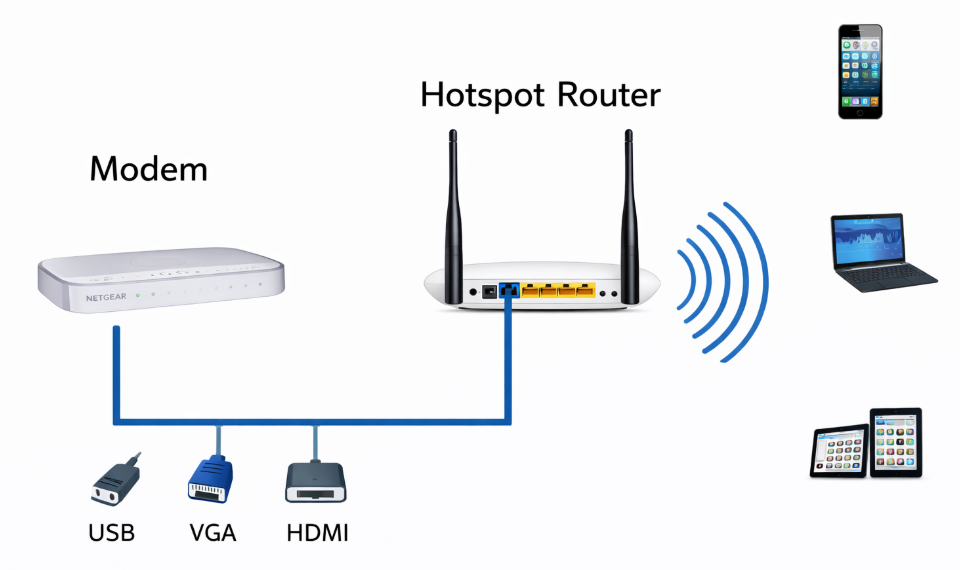
Wireless LANs
In wireless LANs (WLANs, Wireless Local Area Networks), devices communicate by radio waves with an access point or Wi-Fi router. The access point connects wireless devices to the local network (IEEE, 2024; Kurose & Ross, 2026).
Wired LANs
Wired LANs use different transmission technologies: for example, some use copper cables, while others use optical fiber (IEEE, 2022).
Wired networks generally provide greater stability, lower latency, and more predictable performance than wireless networks because the signal travels through a physical medium that is less susceptible to interference (Kurose & Ross, 2026).
LANs often use a star topology: each computer has its own connection to a switch (Tanenbaum et al., 2021).
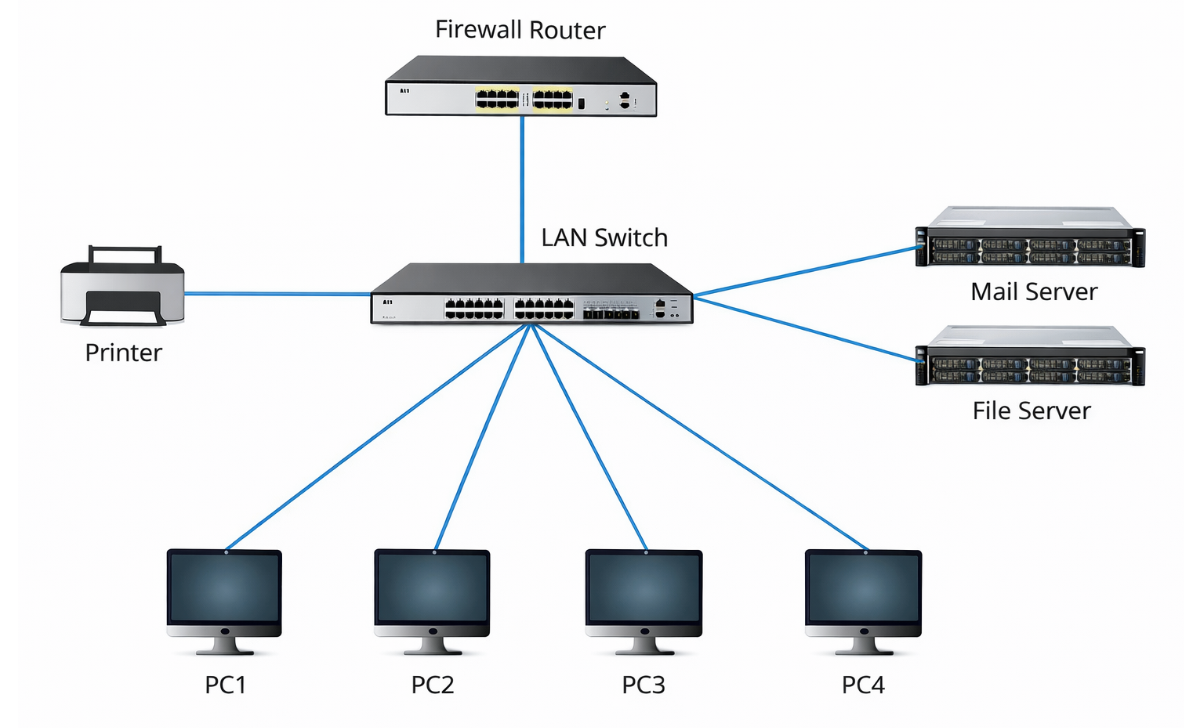
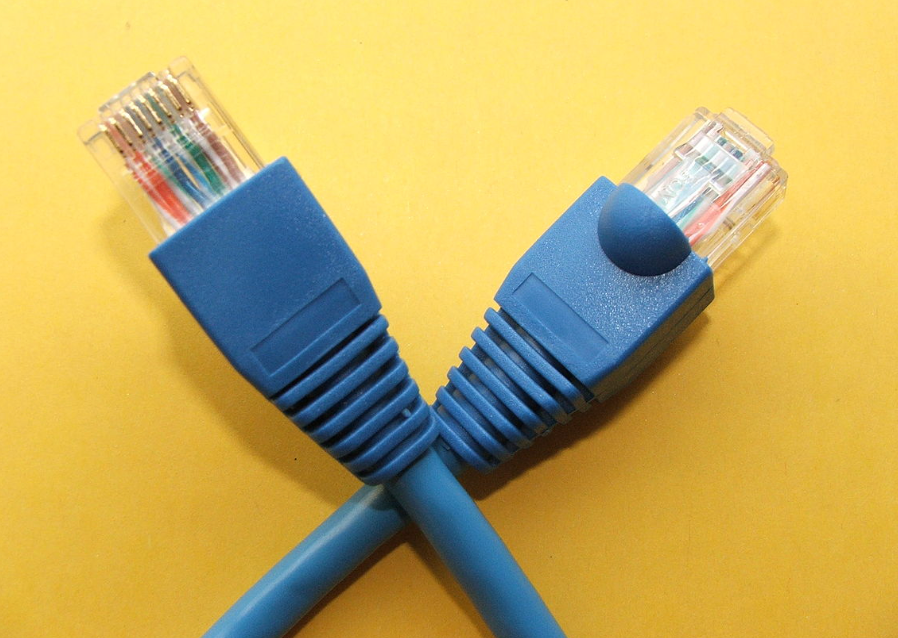
The most common connection technology used in LANs is known as Ethernet, and the cable used for Ethernet connections is commonly called an Ethernet cable (IEEE, 2022).
In everyday language, people often speak of an “Ethernet cable”, although more precisely it is a twisted-pair copper network cable, usually fitted with an RJ45 connector, used to connect Ethernet devices (IEEE, 2022).
WAN
A WAN (Wide Area Network) covers a large geographical area, often a country or a continent (Tanenbaum et al., 2021).
In simplified terms, a WAN can be divided into two main parts:
The subnet, in turn, consists of two additional components:
For example, in the image below:
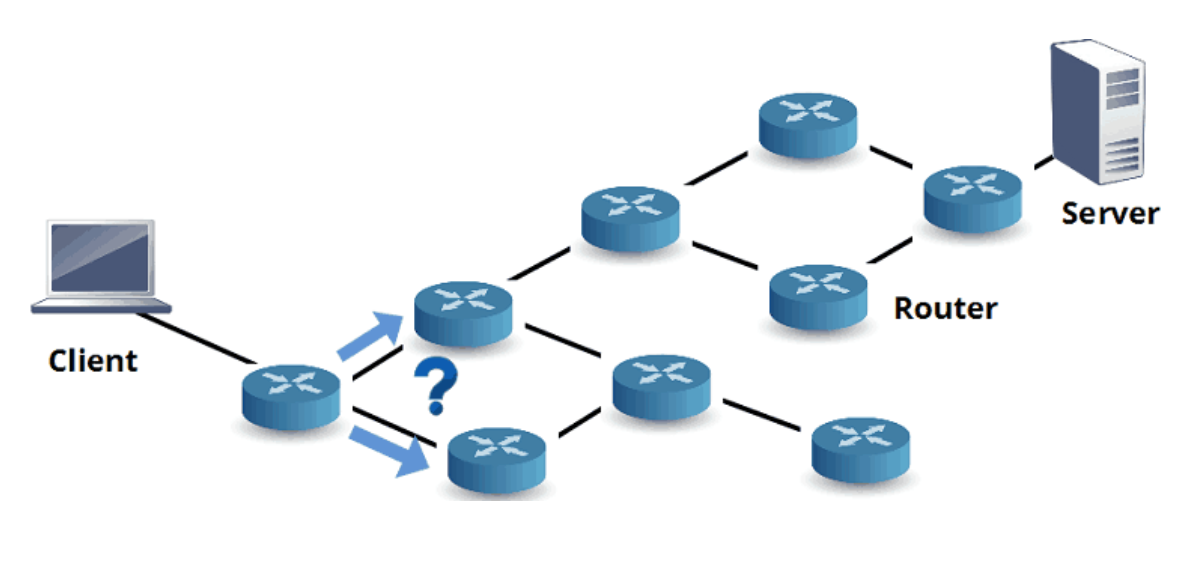
In most WANs, the subnet contains many transmission lines, each of which connects a pair of routers (Tanenbaum et al., 2021).
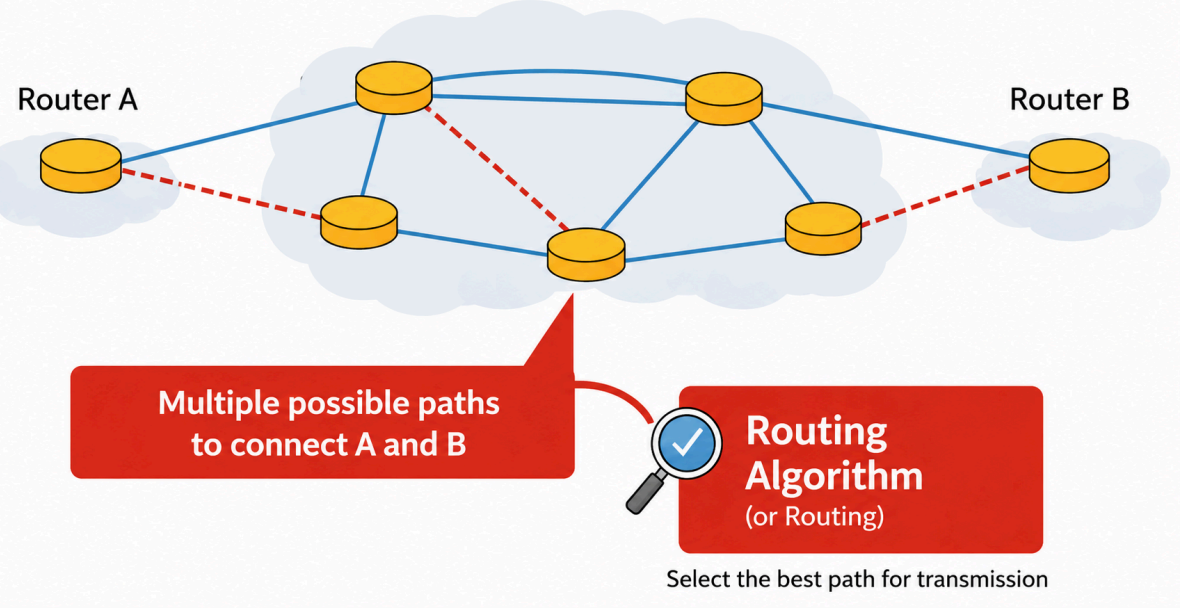
If two routers that are not connected by the same transmission line need to communicate, they must do so indirectly by passing through other routers (Tanenbaum et al., 2021).
Because several possible paths may exist, routers use routing algorithms to decide which route packets should follow (Kurose & Ross, 2026; Tanenbaum et al., 2021).
ISP
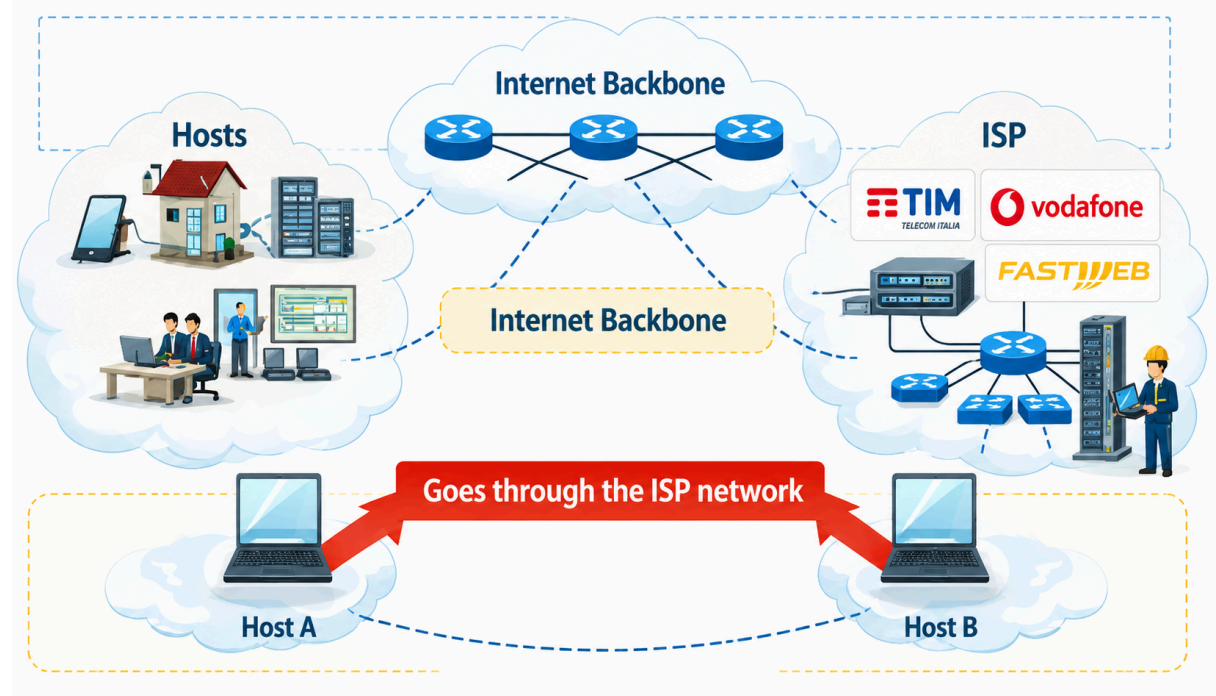
In public or commercial WANs, the hosts often belong to end users or service operators.
The communication infrastructure, by contrast, is managed by network service providers that connect the various hosts requiring their services.
A network service provider connected to the Internet is called an ISP (Internet Service Provider), and its subnet is called an ISP network (Kurose & Ross, 2026).
Customers who connect to an ISP receive an Internet connection service.
Example
Examples of Italian ISPs include TIM, Vodafone, Fastweb, WindTre, and other operators that provide Internet access through fiber, mobile networks, or other technologies.(Autorità per le Garanzie nelle Comunicazioni, 2026).
To summarize:
Key points
Classifying the Networks of a Campus
A university uses different communication systems:
Analyze the situation.
The Headphones Will Not Connect
Giulia has bought a new pair of Bluetooth headphones. She enables Bluetooth on her smartphone, but the headphones do not appear in the list of available devices.
After several attempts, she manages to pair them and listen to music. Later, she decides to temporarily disconnect them. The next day, she turns the headphones back on and the smartphone recognizes them automatically.
A few weeks later, however, she selects the “Forget Device” option.
Reconstruct what happened.
Designing a Laboratory Network
A school laboratory has:
The desktop computers and printers can be connected by cable, while the tablets must use a wireless connection.
Conceptually design the laboratory LAN.
From One City to Another
A company has an office in Turin and another in Naples. Each office has its own LAN. The company wants the computers in the two offices to communicate through a wide area network.
Between the two offices, data passes through several routers and transmission lines.
Analyze the structure.
The Telecommunications Provider’s Network
Marco uses a fiber-optic connection provided by an Internet service provider. His computer belongs to his home network, but in order to reach a web server it must pass through the infrastructure of his Internet access provider.
Analyze the situation using the concepts covered in the learning material.
Explain what is meant by ISP.
From a Network to the Internet
A large company has:
An employee states:
“We have many networks connected together, so we have created the Internet.”
Evaluate the statement.
To create these materials, I used generative artificial intelligence tools to support the writing process, particularly to improve the wording and style of the text, reorganize content, refine phrasing, and speed up certain editorial tasks.
Since I work independently on the production of these materials, I try to automate all activities that can reasonably be automated, so that I can devote more time to research, design, and content development.
However, artificial intelligence does not determine the content of the work: the selection of topics, structure, ideas, interpretations, examples, and teaching approach are developed by me. AI is therefore used primarily as a tool to support production and formal revision, while authorship and responsibility for the design and development of the content remain mine.
Unless otherwise stated, this material is licensed under the Creative Commons Attribution–NonCommercial–ShareAlike 4.0 International License (CC BY-NC-SA 4.0).
You are therefore free to share, redistribute, adapt, and create derivative works based on this material, provided that proper attribution is given, the material is not used for commercial purposes, and any modified or derivative versions are distributed under the same license.

Do you want to help me write articles like this one?


No responses yet