


This lesson introduces the key physical devices that make up a computer network. It begins with the network card and network interface, explaining the role of the MAC address in local communication.
It then describes the switch—which connects multiple devices within a LAN—and the router, which connects different networks and routes packets to the correct destination.
The lesson also examines the roles of the gateway, modem, access point, and Wi-Fi hotspot. Finally, it explains the firewall as a security filter for network traffic and the modem-router as a home device that integrates multiple functions into a single unit
Network hardware
Network hardware is the collection of physical devices that allow computers and other electronic devices to communicate with one another by exchanging data within a network.
It is the “tangible” part of a network: the part that helps manage the flow of information and enables data to reach the correct destination (Kurose & Ross, 2026; Tanenbaum et al., 2021)..
Network card
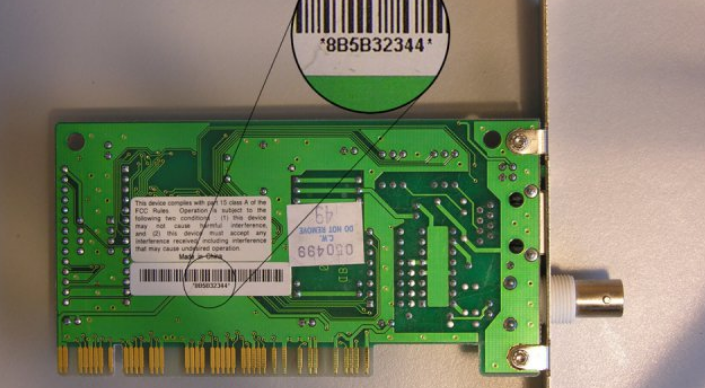
A network interface card (also called a network interface controller, NIC, network adapter, or physical network interface) is a digital interface implemented as an electronic circuit board. It performs the logical processing functions required to connect a device to a computer network and to transmit and receive data (Tanenbaum et al., 2021).
A network interface is the logical or physical connection point between a device, such as a computer, server, or smartphone, and a specific computer network.
It converts data into signals that can be transmitted and has identifiers used for communication.
In everyday language, the terms network interface card and network interface are often used as synonyms, but it is technically useful to distinguish between them.
In a simple case, the relationship may be:
1 physical network card → 1 network interface
In this case, the situation is fairly intuitive: one physical card corresponds to one network interface.
However, in modern networks, the situation can be more complex.
A single physical network card can support or expose multiple network interfaces in order to communicate with several different networks.
For example, the device that connects a home network to the Internet must communicate with two different networks:
For this reason, it has multiple network interfaces, each dedicated to a different type of communication.
Each network interface has a unique identifier called a MAC (Media Access Control) address.
A MAC address is a 48-bit identifier, expressed in hexadecimal format, assigned by the manufacturer to the network card during production (IEEE Standards Association, 2022).
A MAC address is used to identify a network interface within a local network. When a device sends data across the same local network, it places the recipient’s MAC address in the packet header so that the message can be delivered to the correct interface (IEEE Standards Association, 2022).
Switch
A switch acts like a “multi-socket power strip” and allows multiple devices to be connected to one another within a local network.
A switch learns which devices can be reached through its ports. When it knows which port is associated with the destination MAC address, it forwards the data only to that port (IEEE Standards Association, 2022; Kurose & Ross, 2026)..
For example, if a packet arrives on port 1 and is addressed to a device connected to port 3, the packet is forwarded only through port 3 rather than through all the other ports.
This is because, when a packet is received, the switch checks the destination MAC address in the packet header and uses it to determine which network interface should receive the packet.
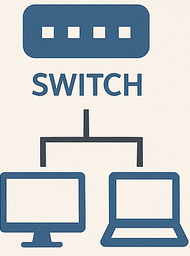
Switches are commonly used in business networks, home networks, and many other situations where network traffic between connected devices must be managed and directed.
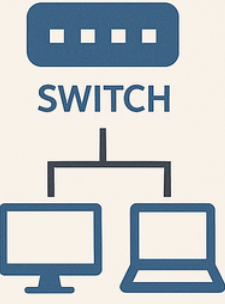
Switches are mainly used in LANs, or local area networks, where they connect nearby devices, for example within a home, school, or office.
Router
A router is a device that connects different networks and forwards packets toward their destination network (Baker, 1995).
The term router comes from the English word “route”, meaning a path or course, because a router directs packets toward different devices.
From a logical point of view, a router is not very different from a switch.
It also connects different network devices, but with one important difference: a router can route packets between different networks.
Routers have multiple network interfaces, one for each network they must connect (Baker, 1995).
For example, a router connecting three different networks must have at least three network interfaces, one for each network.
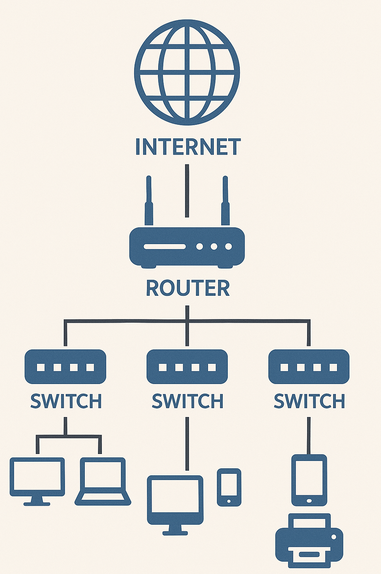
A gateway is a particular type of router.
A gateway acts as an access point between a local network and an external network. An external network is a network that connects several local networks (Baker, 1995).
When a device on the local network wants to communicate with a device on the external network, several steps take place:
When the external network is the Internet, the gateway is often called the “default gateway”. Home routers act as default gateways.
Note: not all routers are gateways.
Modem
An ADSL or fiber modem is an electronic device that connects a computer to the Internet through a twisted-pair telephone line for ADSL or through optical fiber.
The modem is usually connected to the gateway, and its task is to convert digital data into a format suitable for the network.
The term modem comes from “MOdulator-DEModulator” because, in ADSL systems, it converts a computer’s digital signals into analog signals that can travel over telephone lines, and vice versa (Tanenbaum et al., 2021).
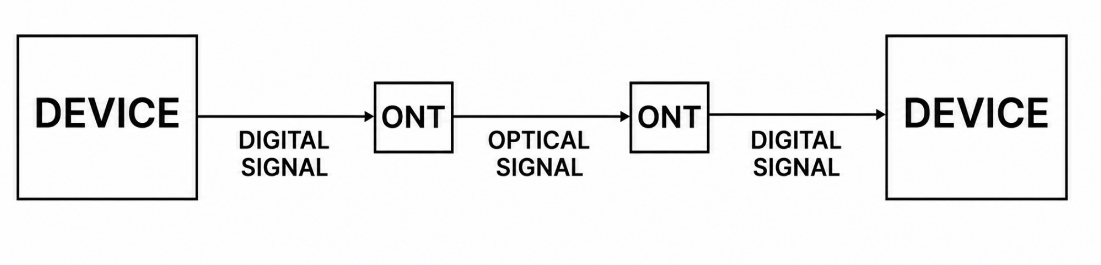
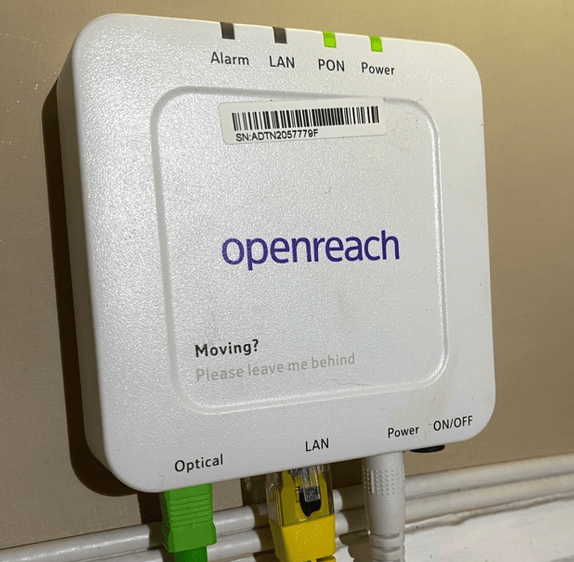
In a fiber-optic connection, which uses light to transmit packets across the network, the device used is technically an ONT (Optical Network Terminal).
The ONT converts electrical signals from the local network into optical signals for the fiber and, in the opposite direction, converts optical signals from the fiber into electrical signals that network devices can use (International Telecommunication Union, 2019).
Example
Suppose we have an ADSL modem:
Suppose we have an ONT:
Access point
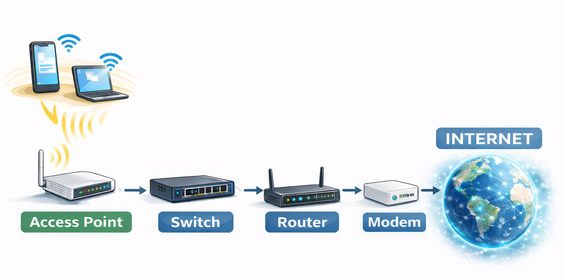
An access point, also abbreviated as AP, is a network device that provides local wireless access to an electronic communication network (IEEE Standards Association, 2025).
The access point is connected to a switch and allows users to access the Internet without a wired connection.
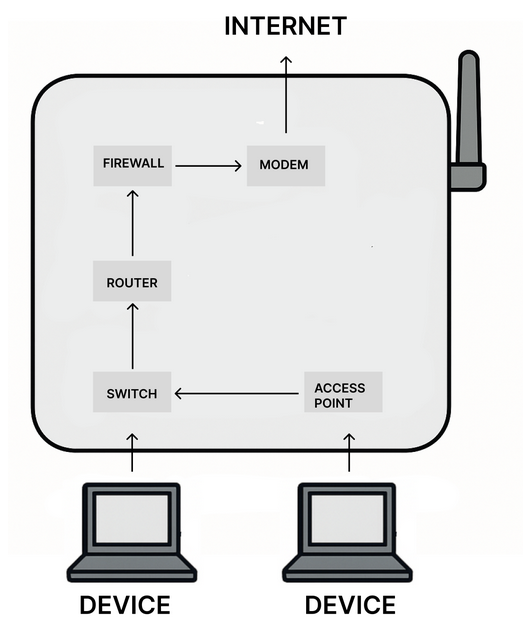
This means that whenever we access the Internet wirelessly, our data is sent to or received from the access point. The access point forwards it to the switch, which sends it to the router; the router can then communicate with the Internet through the modem.
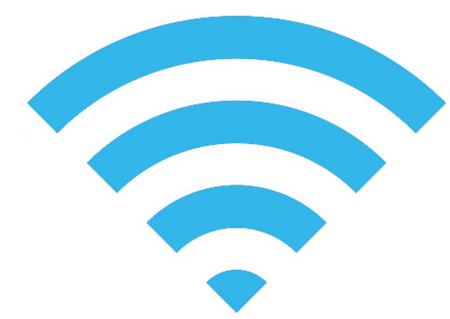
A hotspot is a location where an access point is available for Internet access.
A hotspot is represented by the symbol shown below:
The term hotspot also refers to a function of a device, such as a smartphone, that shares its Internet connection.
An access point is most commonly associated with Wi-Fi, a wireless connection technology that uses radio waves (IEEE Standards Association, 2025).
A hotspot can be:
Firewall
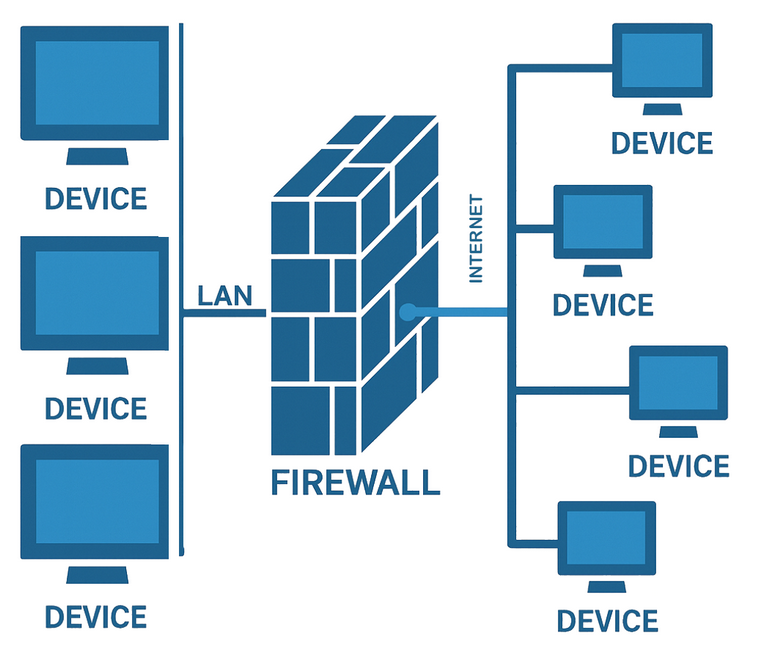
A firewall is a hardware or software network-security component that monitors incoming and outgoing traffic and applies security rules to allow or block specific communications (Scarfone & Hoffman, 2009).
In practical terms, a firewall acts as a filter that inspects data traffic and blocks dangerous or unwanted transmissions according to specific rules called ACLs (Access Control Lists).
Most firewalls include standard rules to which the end user can add customized rules according to their needs.
The firewall is positioned between the external network, including the Internet, and the internal network of a company or home, or even an individual user’s computer.
A firewall works this way because, in simplified terms, the internal network is considered better known and more controllable, whereas an external network such as the Internet is treated as less trustworthy and potentially dangerous.
Most firewalls use one of two general rule-application policies (Scarfone & Hoffman, 2009):
Example
In many school networks, the firewall may be configured permissively for outgoing traffic. This means that internal devices can access many Internet services except those that are explicitly blocked.
From a security perspective, a default-deny policy is generally stricter because it permits only explicitly authorized traffic.
However, it requires more careful configuration to avoid blocking services that are useful for teaching and learning.
Modem router
A modem router is a device that performs the functions of both a modem and a router (Kurose & Ross, 2026).
In practice, as well as serving as an Internet gateway, it allows all the devices in a home to communicate with one another.
For many years, people have incorrectly called the device used to connect to the Internet a “modem”, as in the case of devices such as the TIM HUB or Fast Gate.
In reality, these units combine several devices in a single box:
Key points
Network Interface Card, Network Interface, and MAC Address
A laptop can connect to a network either through an Ethernet cable or via Wi-Fi. When connected by cable, it communicates through one network interface; when using Wi-Fi, it uses another.
Answer the following questions:
The Lab Switch
A school laboratory has a switch to which twenty computers are connected.
The computer connected to port 4 needs to send data to the computer connected to port 15. The switch already knows the MAC address associated with port 15.
Answer the following questions:
Connecting Three Different Networks
A company has three separate networks:
The company wants to allow communication between these networks.
Answer the following questions:
Leaving the Home Network
A home computer is connected to the local network and wants to communicate with a server on the Internet.
The network includes a device that acts as the default gateway.
Reconstruct the path followed by the data:
ADSL or Fiber?
Two homes use different technologies to connect to the Internet.
Answer the following questions:
Designing a School Wi-Fi Network
A school already has a wired network made up of switches and routers. It also wants to allow laptops and tablets to connect wirelessly.
It must also create a Wi-Fi area that students can access in the library.
Answer the following questions:
Configuring the Firewall
A school wants to protect its network.
Students must be able to use the web and certain educational services, but the administrator wants to prevent communications considered undesirable.
Two strategies have been proposed:
Analyze the two strategies:
What Is Really Inside the Home “Modem”?
A family receives a single device from its Internet service provider. Four computers are connected to it by cable, smartphones connect through Wi-Fi, and the Internet line is also connected to the same device.
One family member says:
“This device is simply a modem.”
To create these materials, I used generative artificial intelligence tools to support the writing process, particularly to improve the wording and style of the text, reorganize content, refine phrasing, and speed up certain editorial tasks.
Since I work independently on the production of these materials, I try to automate all activities that can reasonably be automated, so that I can devote more time to research, design, and content development.
However, artificial intelligence does not determine the content of the work: the selection of topics, structure, ideas, interpretations, examples, and teaching approach are developed by me. AI is therefore used primarily as a tool to support production and formal revision, while authorship and responsibility for the design and development of the content remain mine.
Unless otherwise stated, this material is licensed under the Creative Commons Attribution–NonCommercial–ShareAlike 4.0 International License (CC BY-NC-SA 4.0).
You are therefore free to share, redistribute, adapt, and create derivative works based on this material, provided that proper attribution is given, the material is not used for commercial purposes, and any modified or derivative versions are distributed under the same license.

Do you want to help me write articles like this one?


No responses yet